Blog

The Konigi OG Toolset is Coming
· Michael Angeles

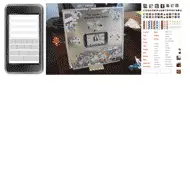
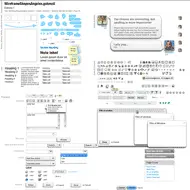
That's OmniGraffle, not Original Gangster. It's been over a year since the last update to my OmniGraffle Wireframe Stencils. I'm due for a new version after some cleanup and organization into separate stencils to make use of OG5's nice new stencil panel. The above is the current state of my working stencil in all its ugly glory.

Also in my stencil directory are a bunch of pre-fabricated stencils for the projects I've worked on in the past 2 years at Sling and at Traction. So there's a lot of social networking, video controls, and now a growing arsenal of application-oriented controls now that I'm helping to define the user experience of Traction Software. You'll hopefully be able to try some of that stuff out in Q1/2 of 2009. And sometime in '09 you'll be able to use those stencils as well, as I plan to release them to the public.

There will be more on the toolset after the new year, so stay tuned.
Working through Screens Book

· Michael Angeles

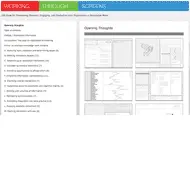
Flashbulb Interactions's Working through Screens is an excellent, well-illustrated ebook on concept design for designers and product developers. The key point here is how to use design tools and methodologies to get the right design for the problem.

Working through Screens is an online book for product teams creating new or iteratively improved applications for thinking work. Written for use during early, formative conversations, it provides teams with a broad range of considerations for setting the overall direction and priorities for their onscreen tools. With hundreds of envisioning questions and fictional examples from clinical research, financial trading, and architecture, this volume can help definers and designers to explore innovative new directions for their products.

...

Product teams can make significant progress toward these aims by changing how they get started on designing their products — by beginning with an emphasis on getting to the right design strategy and design concepts long before getting to the right design details.

There can never be enough discussion in the literature on this topic in my opinion, because understanding the problem and getting the right design is so important for success, especially when it comes to application design. The book is free to download, so check it out.

http://www.flashbulbinteraction.com/WTS_opening.html

The Designer's Review of Books

· Michael Angeles

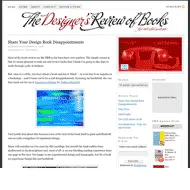
Andy Polaine's review of books for designers.

Although there are several good design websites that occasionally have book reviews, there didn’t seem to be a single place online where you could get constant updates and reviews of new (and sometimes old) design books.

Design books are often expensive and contrary – sometimes the book is worth having for the physical production values alone, sometimes for the images, sometimes for the words and, occasionally, for all three. We wanted to cover those elements in our reviews so that you know whether it’s worth owning.

http://www.designersreviewofbooks.com/

Sling.com Launches

· Michael Angeles

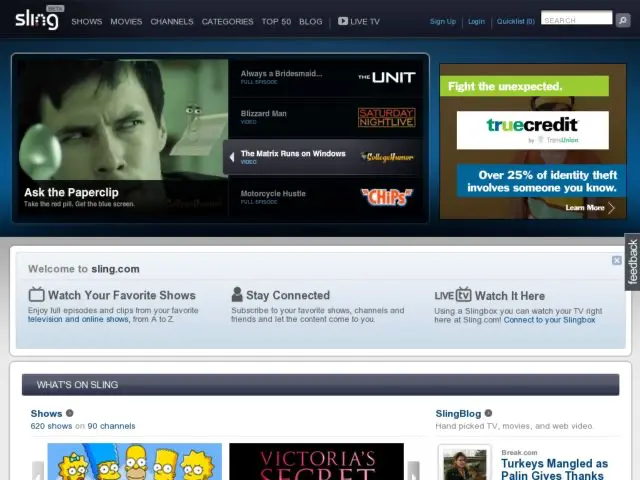
The video portal I worked on last year went Public Beta today. Check it out at Sling.com. If you have a Sling Box, you can also now view your sling player in a web browser as well (IE/Windows only for now). I guess the rollout of features will be gradual. Can't wait until Clip N Sling is available for Sling Box owners and more social features are released. We designed a number of very interesting interfaces which don't appear to be available yet.

http://beta.sling.com/

10 Cameras for Design Research

· Michael Angeles

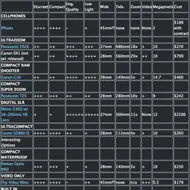
Jess McMullin shares his research on choosing a camera for design research on the bplusd blog. His list covers a selection of cameras for still pictures and short video capture.

At the end of the summer I chose the Panasonic Lumix DMC-TZ5 to complement my Canon SD20 for both work and play. At work I wanted to be able to capture things like white boards, projected presentation screens, and do short video of live screens. I also didn't want to spend more than $300. My SD20 and iPhone work for some things, but the lack of zoom and limited video features became an issue over time.

As you can see above, Jess also likes the TZ5. I ended up chosing it primarily because you get Leica glass with image stabilization without a Leica price. I also wanted the ability to do 720p high definition short video without having to buy a video camera. I was considering just using my SD20 and trying one of the new family of compact HD cameras from Kodak and now Flip. The Panasonic ended up hitting the sweet spot for me in terms of meeting my requirement for features and price and I've been quite happy with it. I should also note that in a pinch, the iPhone is pretty damned good for things like capturing white boards.

I find it's always hard to make recommendations for gear, but hopefully this bit of feedback about the products out there helps get a better picture when looking for a tool for this kind of work.

http://www.bplusd.org/2008/11/14/271/