Blog

Napkin Look & Feel

· Michael Angeles

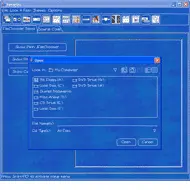
Napkin Look and Feel is a cool looking open source tool for Java developers to produce application prototypes with a low-fidelity sketchy interface.

The idea is to try to develop a look and feel that can be used in Java applications that looks informal and provisional, yet be fully functional for development. Often when people see a GUI mock-up, or a complete GUI without full functionality, they assume that the code behind it is working. While this can be used to sleazy advantage, it can also convince people who ought to know better (like your managers) that you are already done when you have just barely begun, or when only parts are complete. No matter how much you speak to their rational side, the emotional response still says "Done!". Which after a while leads to a later question: "That was done months ago! What are they doing? Playing Quake?" A good article on this is Joel on Software's “The Iceberg Secret, Revealed”.

So the idea is to create a complete look and feel that can be used while the thing is not done which will convey an emotional message to match the rational one. As pieces of the work are done, the GUI for those pieces can be switched to use the "formal" (final) look and feel, allowing someone looking at demos over time to see the progress of the entire system reflected in the expression of the GUI.
http://napkinlaf.sourceforge.net/

Social Patterns Wiki

· Michael Angeles

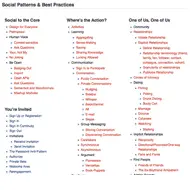
Christian Crumlish and Erin Malone are writing a book on designing social interfaces and are starting to post the design patterns they are writing as they work through the chapters. Each pattern is open for folks to modify / give feedback.

From the looks of that list of forward links to be added, they have a very ambitious list of design problems they're going to be researching and providing design patterns for. Knowing the quality of information Erin and Christian have been providing to the UX community, I cann tell you that this will be a highly valued resource.

I'm subscribed and looking forward to contributing to it.

http://www.designingsocialinterfaces.com/patterns.wiki/index.php?title=Main_Page

Twingr Registration: My mind was made up before I even tried the product

· Michael Angeles

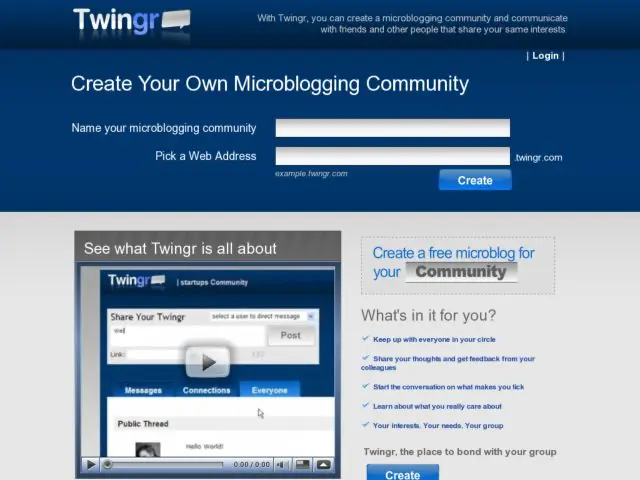
I very rarely will say anything about a site if the only opinion I have is negative. Twingr looked like an interesting idea. The service let's you create your own Twitter-clone microblogging site, as does Yammer, but without any constraints regarding who you may invite. Alas, I can't say that I know what the experience is like because I couldn't get past the front door, so I walked away possibly never to return.

So here's the criticism, and my advice for how not to run a product alpha/beta.

1) Don't put a very prominent form to create an account on your front page if this is what you happens when you submit.

2) Don't make a second create button on the page (see bottom of the first screenshot) that does nothing when you click it.

3) Don't do all the above, blocking people from registering, and then leave out a sign up for beta form to remind prospective customers to come back. I won't remember ever hearing about this site and probably won't likely be back if not reminded.

First impressions matter, and I know it can be very difficult to recover from a bad first impression with a product. If I were these guys, I would make those few fixes real fast.

http://twingr.com/

Newspaper Website Design

· Michael Angeles

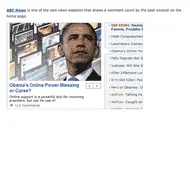
Smashing Magazine does a newspaper roundup in a week that saw the FT.com make news for its redesign.

These days, the design lines between blogs and newspapers are starting to converge a bit with those newspapers that take the threat of the blog format seriously. Smashing Mag does a good design of screenshooting and comparing what news sites are doing.

http://www.smashingmagazine.com/2008/11/11/newspaper-website-design-trends-and-examples/

ScreenToaster Free Online Screen Recorder

· Michael Angeles

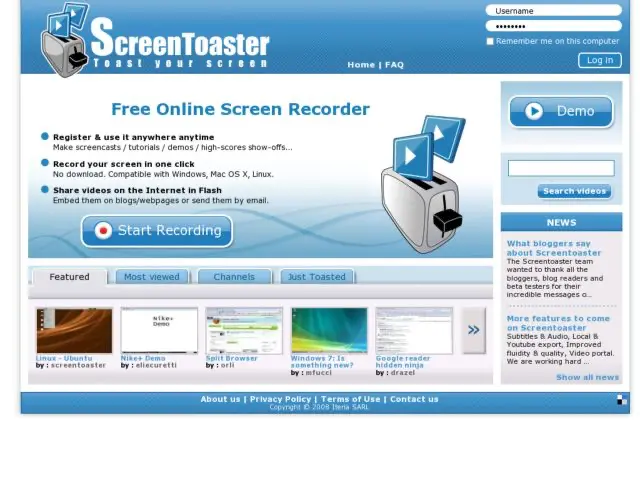
ScreenToaster is a pretty incredible web application that lets you record your web browser screen without having to download desktop software. Currently, to record a screen, you open up ScreenToaster in a browser tab, navigate to the page you want to capture, click a keyword combination, and the applet starts recording. Press another key combination to stop. The service saves the session and almost immediately gives you a flash video with your recording.

http://www.screentoaster.com/

16 User Interface Prototyping Tools

· Michael Angeles

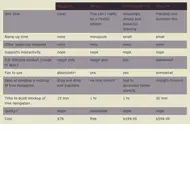
Russel Wilson of Dexo Design has done an excellent review of available UI Prototyping tools and provided tables comparing attributes including how fun they are to use, time to ramp up, and support for interactivity.

His final assessment is below:

1) Low fidelity mockups for idea exploration and communication: Balsamiq
2) Interactive prototypes to test and communicate interactions: Adobe Flex (Thermo may change my mind)
3) High fidelity drawing tool: Adobe Illustrator or OmniGraffle

http://www.dexodesign.com/2008/11/07/review-16-user-interface-prototyping-tools/